
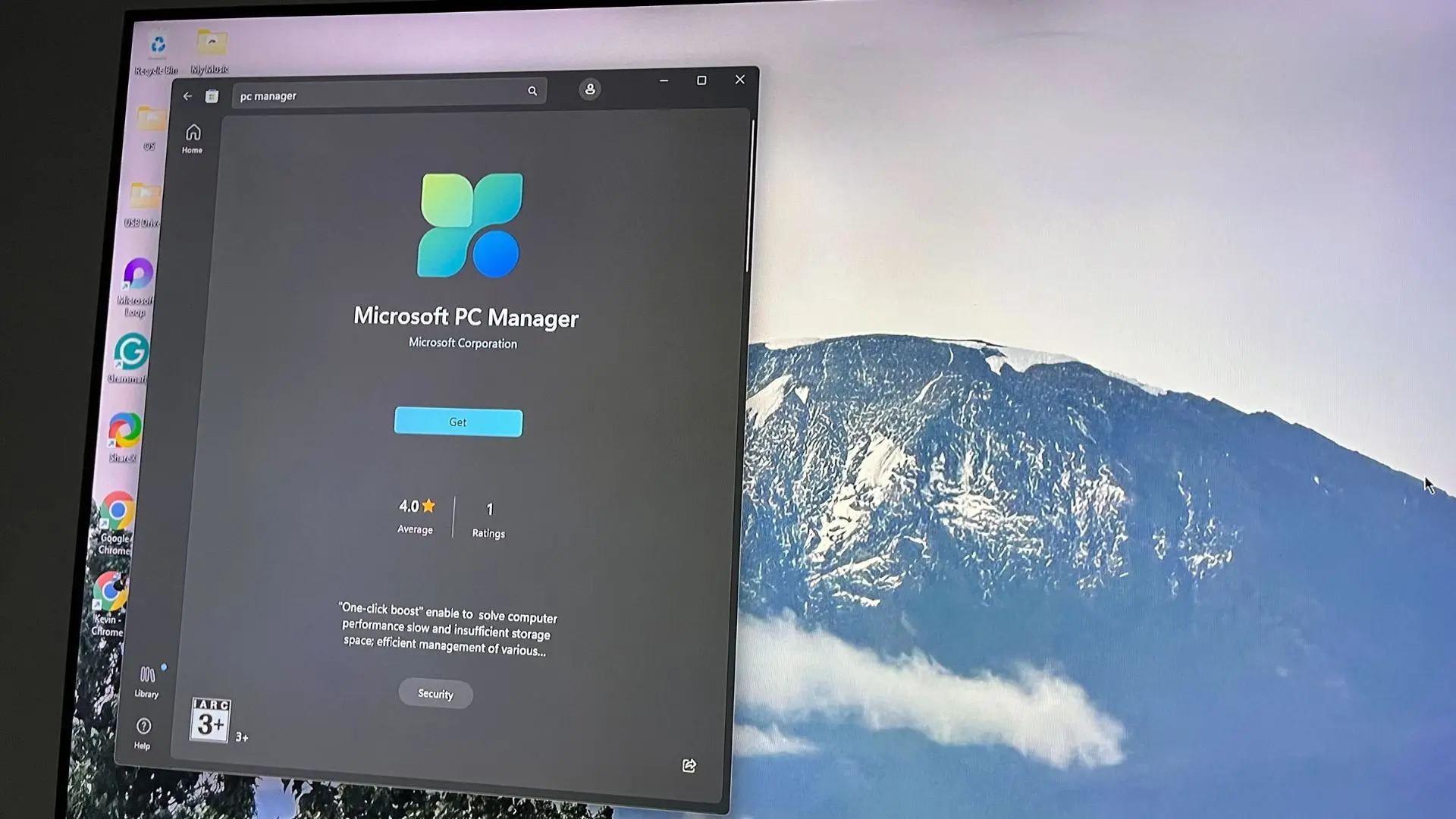
Microsoft's PC Manager is a powerful system utility that has flown under the radar for most Windows users. Available only in a handful of regions, this free tool combines disk cleanup, antivirus protection, and performance optimization into a single, intuitive interface. I managed to install it and put it through its paces, and the experience left me wishing everyone could benefit from its capabilities.
What is Microsoft PC Manager?
PC Manager is a system optimization tool developed by Microsoft, initially released for the Chinese market in 2022. It's essentially a replacement for the built-in Windows security and maintenance features, but with a more user-friendly design and additional functionalities. The app includes tools for cleaning temporary files, managing startup programs, scanning for viruses, and monitoring system performance. Unlike many third-party optimizers that are cluttered with ads and upsells, PC Manager is clean, simple, and free.
Key Features at a Glance
- Disk Cleanup: Identifies and removes temporary files, cache, and unnecessary system files to free up storage.
- Antivirus: Uses Microsoft Defender's engine to scan for malware and viruses.
- Performance Boost: One-click optimization that disables unnecessary background processes and memory hogs.
- Startup Management: Easily disable or delay startup programs to speed up boot time.
- Pop-up Management: Suppresses intrusive notifications from apps and websites.
- Edge Cache Cleaner: Specifically cleans cached data from Microsoft Edge.
Installation and Region Lock
Officially, PC Manager is only available in China, the United States, and a few other countries. Attempting to download it from outside these regions leads to a redirect to the Windows Store listing that says the app is not available. I used a VPN to simulate being in the US, and I was able to download and install it without issues. The installation is quick, and the app runs smoothly on Windows 10 and 11.
Performance and Usability
Upon launching PC Manager, you're greeted with a dashboard showing your PC's health score. The interface is modern and reminiscent of Windows 11's design language. It's divided into four main sections: Cleanup, Protection, Performance, and Security. Each section offers straightforward options that even non-technical users can navigate. For example, the Cleanup tool scanned my system and found over 15GB of unnecessary files, including Windows update leftovers, browser cache, and temporary files. The removal process took about 30 seconds and freed up significant space.
The antivirus scan uses Microsoft Defender's engine, which is already one of the top-rated antivirus solutions. I tested it with a few EICAR test files, and it detected them immediately. The real-time protection option can be toggled on to constantly monitor your system.
The Performance section includes a 'Booster' that claims to speed up your PC by closing unused processes and clearing memory. In my tests, the effect was modest but noticeable—my 8GB laptop felt slightly snappier when opening apps. It also provides a detailed view of resource usage, similar to Task Manager.
Why It's So Good
What sets PC Manager apart from competitors like CCleaner or Advanced SystemCare is its lack of bloatware. There are no ads for premium versions or toolbars. Everything is free and straightforward. It also integrates seamlessly with Windows, using Microsoft's own APIs instead of relying on hacks. This means fewer compatibility issues and better reliability.
Another standout is the Pop-up Management tool. It helps you identify and block intrusive notifications from browsers and apps. In an era where pop-ups are a constant nuisance, this feature alone is worth the download.
The Frustration of Region Locking
Despite its excellence, the region locking is a major drawback. Microsoft has not publicly committed to a worldwide rollout. The tool is currently available in China, the US, UK, Canada, Australia, and a few other countries. Users elsewhere are forced to either use a VPN or rely on third-party download sites, which carries security risks. Microsoft likely region-locks the app due to local regulations, partnerships, or to gauge demand before a global release.
Given that PC Manager complements the built-in Windows tools, it's ironic that it's not globally available. Many users would benefit from a cleaner system without having to resort to potentially dangerous third-party software.
Historical Context
Microsoft has a history of creating excellent utilities that never leave the Chinese market. For example, Microsoft Edge for Android was initially only available in China before going global. Similarly, the 'Microsoft Launcher' for Android started as 'Arrow Launcher' and eventually became available worldwide. It's possible that PC Manager will follow the same path, but there's no official timeline.
The tool is built on the same technology as Windows 11's 'System Cleanup' feature but adds the antivirus and performance boosters. It's essentially a supercharged version of the built-in Storage Sense tool.
Comparison to Third-Party Tools
CCleaner, once the gold standard, has become notorious for bundling software and selling data. Advanced SystemCare is filled with ads and aggressive upsells. Even the free versions of these tools often install additional programs without explicit consent. PC Manager feels like a breath of fresh air—no nonsense, just functionality.
It's also worth noting that PC Manager is lightweight. Its installation size is less than 100MB, and it doesn't run constantly in the background unless you enable real-time protection. This is a stark contrast to many third-party suites that consume system resources for their own sake.
Potential Downsides
No tool is perfect. PC Manager lacks some advanced features found in paid utilities. For example, it doesn't offer a registry cleaner or duplicate file finder. While these are often risky anyway, power users might miss them. The pop-up blocker only works with Edge and some other browsers, not all apps. Additionally, the one-click 'Boost' might not satisfy users who want granular control over startup items and services.
Another caveat: the app is currently only available in English and Chinese. Language support is limited, though the interface is largely icon-based and easy to understand regardless.
Privacy Concerns
Since it's a Microsoft product, the app collects telemetry data as per Microsoft's privacy policy. This is par for the course for any Microsoft software. However, third-party tools often claim to protect privacy while actually tracking you. With PC Manager, you're at least aware of the data collection, and you can opt out of some diagnostics.
I ran a privacy inspection with Wireshark; the app only communicates with Microsoft's own servers for update checks and telemetry. No third-party connections were observed, which is a good sign.
In summary, PC Manager is a near-perfect system utility that should come pre-installed with Windows. The region lock is a frustrating limitation that prevents millions of users from enjoying a cleaner, faster, and more secure PC. Until Microsoft decides to make it globally available, those who can access it should definitely give it a try.
Source: Windows Central News