
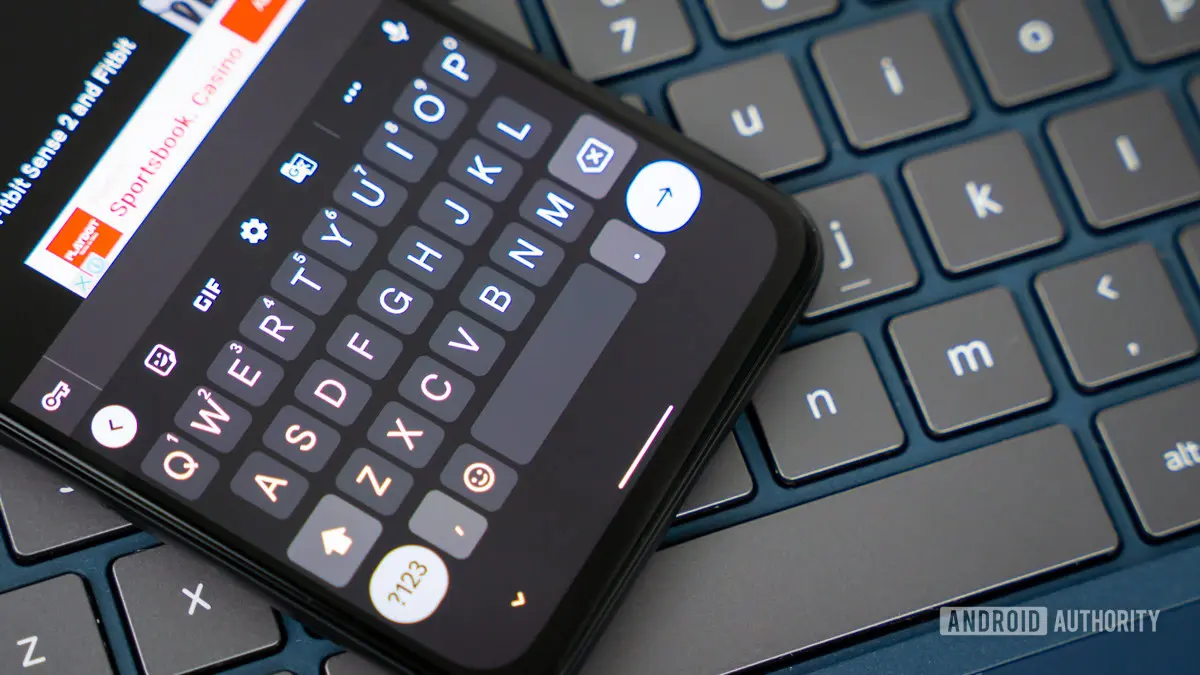
Google is working on a new Gboard setting that would give users greater control over how the keyboard handles spacing after autocorrect suggestions. A recent APK teardown of the Gboard app revealed a hidden toggle labeled 'Auto-space after suggestions,' which, when turned off, prevents the keyboard from automatically inserting a space after a user taps a word from the suggestion strip. This seemingly small change could eliminate a common annoyance for many typists who frequently find themselves deleting unwanted spaces when adding punctuation or attaching characters directly to a selected word.
The automatic spacing behavior has been a default feature of Gboard for years. When you type a word and then tap a suggestion from the bar above the keyboard, Gboard automatically adds a space after it, assuming you want to continue typing the next word. While this is convenient for most sentence construction, it becomes problematic in cases where you intend to follow the suggested word with a period, comma, question mark, or even a suffix or hyphen. Users have long requested the ability to toggle this behavior on or off, and Google now appears to be listening.
Understanding the user frustration
For power users and those who type a lot of technical content, the forced space can be a productivity killer. Imagine typing 'I'll buy the iPhone 15 Pro' and then tapping a suggestion for 'Max.' The space inserted automatically would result in 'Max ' with a trailing space, requiring a manual delete before you can add the period or continue with a parenthetical. This extra step adds up over hundreds of keystrokes. Similarly, when typing in languages that use attached particles or when writing code snippets or URLs in text messages, the automatic space disrupts the flow.
The problem is not unique to Gboard. Competitors like Microsoft SwiftKey offer granular controls over spacing and autocorrection. SwiftKey, for instance, allows users to disable automatic spacing after predictions entirely or to adjust the timing of when spaces are inserted. Apple's native iOS keyboard also inserts spaces after suggestions, but iOS users have historically had fewer customization options overall. Google’s move to add this toggle would bring Gboard more in line with user expectations and could even give it an edge in the competitive keyboard market.
How the toggle works
During our analysis of an unreleased version of Gboard, we were able to activate the new 'Auto-space after suggestions' setting. It appears in the 'Corrections & suggestions' section of the keyboard’s settings menu. When enabled (the default), Gboard behaves as it always has: tapping a suggestion inserts the word and a space. When disabled, tapping a suggestion inserts the word without a trailing space, leaving the cursor immediately after the selected word. In our testing, the toggle worked flawlessly. This suggests that the backend implementation is stable and ready for a wider rollout, pending Google’s decision.
It is worth noting that the toggle only affects spaces that follow suggestion selections. It does not change other autocorrection behaviors, such as automatic capitalization after a period or double-space-to-period. Nor does it affect spaces that are typed manually. This focused approach ensures that existing workflows are not disrupted for users who prefer the current behavior.
The broader context of keyboard customization
Keyboard customization has become a major battleground for mobile operating systems. Android, with its open ecosystem, has always allowed third-party keyboards, but Google’s own Gboard has become the default for many users due to its deep integration with Google services, excellent multilingual support, and consistent updates. However, the best keyboards are those that adapt to individual typing styles. Over the years, Gboard has added features like glide typing, voice typing, emoji search, and a clipboard manager. Yet, some basic customization options, such as controlling automatic spacing, have remained elusive.
The addition of this toggle indicates that Google is paying attention to user feedback. Forums and social media platforms frequently feature requests for more granular control over autocorrection behaviors. The space-insertion issue is a recurring topic on Reddit, Google Issue Tracker, and XDA Developers. By addressing it, Google could reduce the number of complaints and improve overall satisfaction.
Moreover, the toggle fits into a larger trend of Google adding more accessibility and personalization features to its apps. Earlier the same day, we reported on a potential Gboard accessibility feature that could translate sign language captured by the phone’s camera into written text. Both features show Google’s commitment to making its keyboard more inclusive and adaptable. The sign language translation tool would be a game-changer for the deaf and hard-of-hearing community, while the auto-space toggle benefits a much wider audience.
Technical considerations and APK teardowns
APK teardowns involve decompiling the Android application package to examine its code, resources, and configuration files. This method allows developers and tech journalists to discover features that are not yet visible in the public version of the app. For Gboard, we are constantly monitoring its code to spot strings, icons, and layouts related to upcoming features. The 'Auto-space after suggestions' string was found in a code branch that is still under development, meaning it may undergo further changes before release.
Because the feature is not yet live in the stable channel, there is no guarantee that Google will actually roll it out. The company often experiments with features in beta versions and then kills them if they are not well-received or if technical issues arise. However, given the simplicity and utility of this toggle, it is highly likely to survive to a public release. The toggle does not require any server-side support and is purely a client-side change to the keyboard’s logic. Once implemented, it would be part of Gboard’s core settings.
Potential impact on user experience
If the toggle becomes available, users who frequently write in contexts where spacing is problematic would benefit immensely. For example, writers of scientific papers, code snippets, or financial reports often need to attach punctuation immediately after a word without a space. Similarly, people who use text expanders or shortcuts that rely on specific character sequences will have a smoother experience. Even casual users who occasionally want to add a colon or semicolon without a space will appreciate the extra control.
The change also reduces the cognitive load of having to remember to delete an extra space. Typing becomes more intuitive because the keyboard behaves as expected in each context. This aligns with Google’s broader philosophy of 'material design' and user-centric interfaces that aim to reduce friction.
On the flip side, users who never encounter the problem may not notice the toggle at all. The default setting preserves the current behavior, so new users will not be surprised. Only those who actively seek out the setting will change it. This gentle approach is typical of Google’s feature rollouts: add an option, but don’t force a change on existing habits.
Historical evolution of autocorrect spacing
Automatic spacing after word completion has been a feature of autocorrect systems since the early days of predictive text on feature phones. T9, the predictive text engine popular in the late 1990s and early 2000s, automatically inserted a space after a word was selected. This helped speed up typing on numeric keypads. As smartphones emerged with full touch keyboards, the behavior was carried over. iOS and Android keyboards both adopted it. Over time, users grew accustomed to it, but also realized its limitations.
In recent years, keyboard developers have started offering more customization. Microsoft SwiftKey added the option to disable auto-space after predictions in its Android version. Apple’s iOS keyboard does not natively offer this toggle, but some jailbreak tweaks have provided it. Gboard’s addition would fill a gap for users who prefer SwiftKey’s flexibility but want to stay within Google’s ecosystem. It also underscores how the keyboard market is evolving towards personalization.
What the future holds
The 'Auto-space after suggestions' toggle is currently in the development phase. We expect it to appear in a future beta version of Gboard, likely within the next few months. Once it is stable and tested, Google could include it in the next stable release. As with all pre-release features, nothing is final until it is visible in the Google Play Store update notes. However, the presence of a fully functional toggle in our testing suggests that internal development is complete.
In the meantime, users who are frustrated by automatic spacing can try a workaround: after tapping a suggestion, immediately delete the space by tapping the backspace key once. This is not ideal, but it is the only option until the official toggle arrives. Alternatively, users can switch to a keyboard that already offers this control, but many prefer Gboard for its accuracy and integration with Google accounts.
This discovery adds to a series of recent improvements to Gboard. Google has been steadily updating the keyboard with new features like an integrated translator, stickers, and enhanced voice typing. The focus on user control suggests that Google recognizes the diversity of typing styles and wants to accommodate everyone. Whether it’s a power user who types code or a casual texter who never uses punctuation, Gboard aims to serve all.
We will continue to track the development of this feature and report any changes. For now, the toggle remains hidden, but its potential to simplify daily typing tasks is immense. The ability to turn off automatic spacing after suggestions may seem small, but for those who need it, it could be the most meaningful Gboard update in years.
Source: Android Authority News